
Verber Studio Blog
How to Build a Brand Kit That Runs Campaigns Without You
2026-11-11 · Team
Build a Brand Kit once, then generate multi-channel campaigns that stay on-brand — without a blank canvas every time.
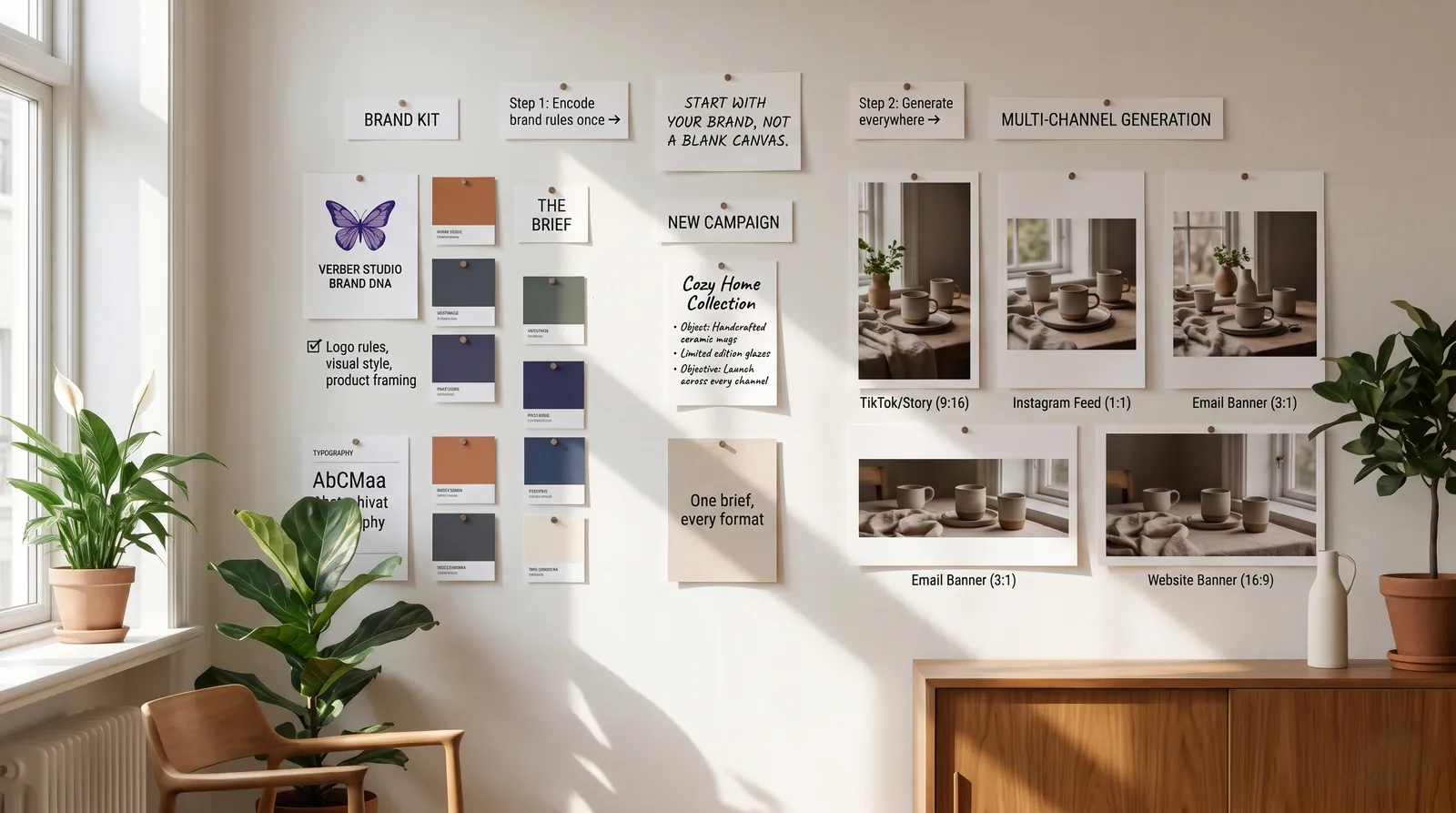
Encode brand rules once — every New Post and New Campaign inherits them.
Summary: A Brand Kit encodes your visual rules once; New Post and New Campaign turn one brief into network-ready assets that inherit those rules; Canvas refines; Social Manager queues and shares. Verber Studio starts with your brand — not a blank canvas — so ecommerce and SaaS teams ship consistent social assets without redesigning each post.
Definition: AI brand system
An AI brand system stores identity once and generates channel-ready marketing assets that inherit those rules. It is not a prompt library bolted onto a canvas.
Who this is for
- Ecommerce sellers tired of mismatched marketplace vs social looks
- SaaS founders shipping features without a design pod
- Solopreneurs who need agency-looking output in a lunch break
Most AI content tools hand you a blank canvas and say "describe what you want." That works if you're a designer. It doesn't work if you're a seller with dozens of SKUs and no creative team.
Verber Studio takes a different approach: start with your brand, not a blank page.
Here's how the product pieces — Brand Kit, New Post / New Campaign, Canvas, and Social Manager — work together to turn your visual identity into a repeatable content system.
Brand Kit: Your rules, built in
Brand Kit is exactly what it sounds like: a saved configuration of your brand's visual identity.
You set it up once (URL extraction is free):
- Logo — your primary and secondary lockups
- Colors — primary, secondary, accent palette
- Fonts — headings, body, captions
- Style rules — photography style, illustration preference, tone of voice keywords
Once your Brand Kit is active, every asset Verber Studio generates inherits these rules automatically. Your Instagram post matches your LinkedIn launch graphic and your WhatsApp catalog card — not because you carefully matched them by hand, but because the system enforces the same kit.
Where you still sell on Amazon, Shopify, or TikTok Shop, Studio keeps your social/catalog creative on-brand today. Marketplace listing templates, A+ modules, and email banners are not in the picker yet — they are on the roadmap so the same Brand Kit can eventually cover those surfaces too.
This is the difference between "AI that generates images" and "AI that generates your images."
New Post & New Campaign: One idea, the networks you pick
New Post and New Campaign are where Brand Kit turns into output.
Here's the workflow:
- Describe the idea — paste a product URL or write a short brief (e.g. “Summer sale, bright and punchy” or “New feature launch, clean and minimal for LinkedIn + X”).
- Select networks — choose from what the wizard ships today: Instagram, LinkedIn, X, Facebook, Pinterest, WhatsApp (Stories for engagement / Catalog for product). New Post = one network; New Campaign = typically 2–3 (soft max 3).
- Generate — Verber Studio turns one brief into a coordinated pack: an on-brand image + caption for each selected network, already in that channel’s aspect ratio, with your Brand Kit colors, logo rules, and tone applied automatically — so the same offer looks native on Instagram, LinkedIn, X, Facebook, Pinterest, or WhatsApp without hand-matching every asset.
- Refine in Canvas — crop, tweak copy, regenerate a weak frame without restarting the whole run.
- Social Manager — move winners into compose / queue / calendar; download or share. X can auto-post when connected; other networks use Quick Share or download today.
Every piece comes out branded because it's all built on your Brand Kit. No rework. No "close enough." No Slack threads asking "is this on-brand?"
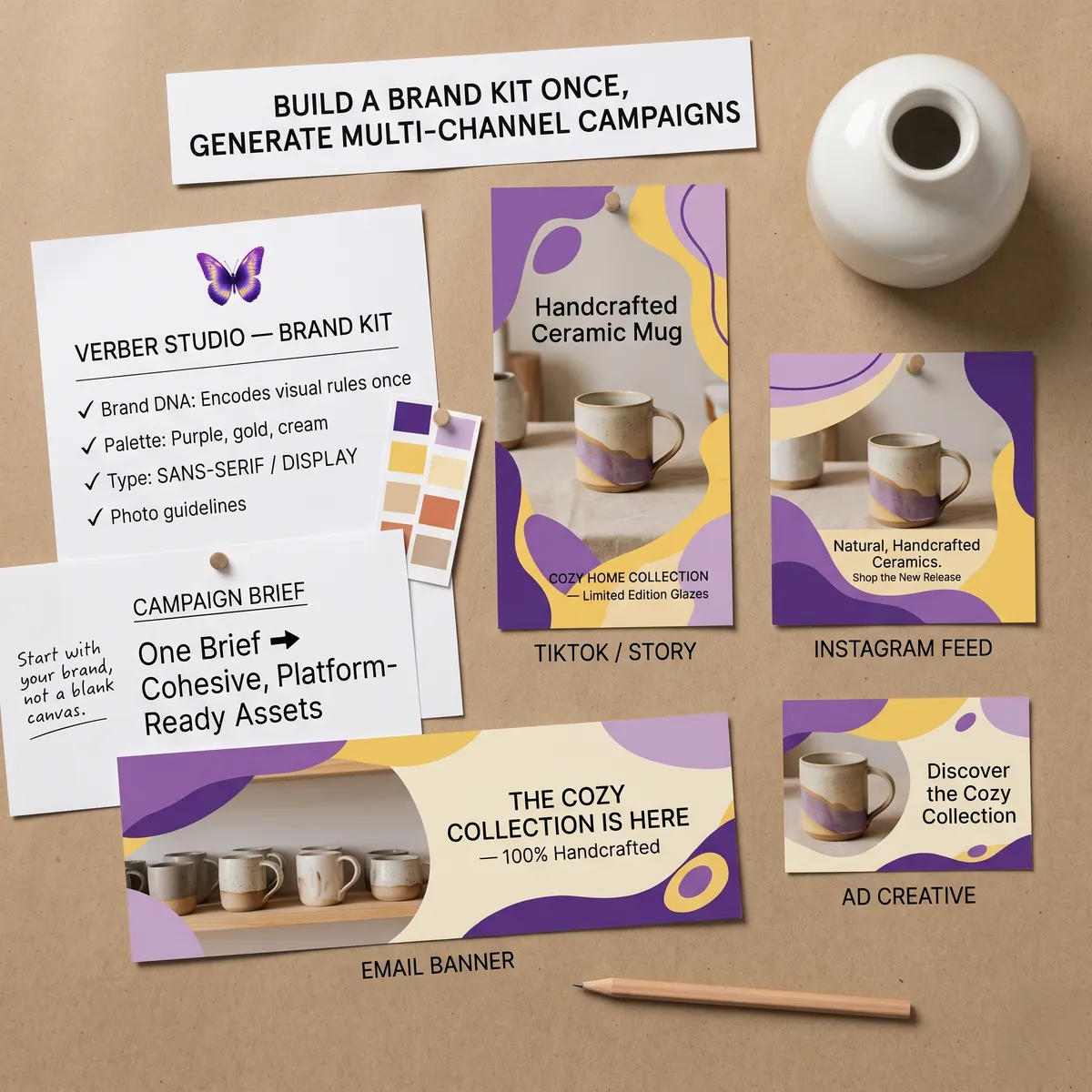
One Brand Kit → coordinated, network-ready campaign assets.
For e-commerce sellers
If you sell on Amazon, Shopify, Etsy, TikTok Shop, or any combination — Studio helps you keep social and WhatsApp catalog creative consistent with your Brand Kit while those storefronts remain your sales channels:
- Seasonal campaigns — Generate Black Friday / Summer Sale / New Collection posts for the networks in the picker (Instagram, Facebook, Pinterest, WhatsApp, etc.) in one New Campaign run. Marketplace-sized listing kits are not in the picker yet (roadmap).
- New product launches — Paste a product URL, apply your Brand Kit, get on-brand social/catalog posts. A+ Content blocks and Amazon/Shopify listing image sets are on the roadmap, not shipped in the wizard today.
- Catalog refreshes — Re-run New Campaign / New Post across SKUs for supported networks. True bulk “entire catalog in one click” marketplace refresh is coming soon as generation coverage expands.
For SaaS teams and brand builders
If you're shipping software, running product launches, or building a company brand:
- Feature launches — Describe the feature, get LinkedIn / X / Instagram (and other live-network) posts that match your Brand Kit. Email banners and long-form changelog visuals are not in the picker yet.
- Webinar and event promo — Campaign kits for the social networks you already use; look-and-feel follows your Brand Kit.
- Docs and demos — Use generated stills as supporting graphics; dedicated screenshot-enhancement / instructional templates are on the roadmap.
The math
Let's be concrete about what this saves on the live surface (Brand Kit free + social/network generation + Canvas + Social Manager):
| Task | Manual | Verber Studio (today) |
|---|---|---|
| Brand a single offer across 3 live networks | 1–2 hours | ~5–10 minutes |
| Seasonal social pack (one brief → 2–3 networks) | Several hours | ~10–20 minutes |
| Feature-launch LinkedIn + X posts | 2–4 hours | ~10 minutes |
| Queue / share via Social Manager after generate | Copy-paste per app | Compose / queue in one place |
As email, listing, and deeper marketplace formats land in the picker, the same Brand Kit should stretch further without re-teaching your identity.
This isn't about replacing designers. It's about giving teams without designers consistent social output — and giving teams with designers time back from resize-and-export grind on the channels Studio already covers.
What makes a Brand Kit “campaign-ready”?
A logo folder and a hex code dump are not enough. A campaign-ready Brand Kit answers the questions a designer would ask before opening a canvas:
- Hierarchy: Which color dominates CTAs vs backgrounds?
- Logo clear space: When to use primary vs wordmark vs icon?
- Photography rules: Studio white, lifestyle, flat-lay, or mixed — and when?
- Typography roles: What carries the headline vs price vs fine print?
- Tone keywords: Soft premium, bold promo, clinical SaaS — encoded so prompts stay consistent.
If those rules live only in someone’s head (or a PDF nobody opens), every new hire and every AI tool invents a slightly different brand. Encoding them once is the unlock.
Brand Kit → Campaign → Canvas → Social Manager (the full loop)
Generation is step one. Real teams still need control and a place to ship:
- Brand Kit — extract from your website URL (free) or set rules manually.
- New Post / New Campaign — one brief produces variants for the networks you select in the wizard.
- Canvas — refine the hero crop, swap a headline, regenerate a weak frame without restarting the whole campaign.
- Social Manager — compose, queue, calendar, and share (auto-post where connected; Quick Share / download elsewhere).
- Export — download assets anytime for channels or formats that are still outside the picker.
That loop is what turns “AI image generator” into an AI brand system. You keep judgment where it matters; the system removes rebuild work on live networks — and the same kit is ready when roadmap formats arrive.
Common failure modes (and how a system prevents them)
| Failure | What it looks like | System fix |
|---|---|---|
| Brand drift | LinkedIn launch and Instagram post feel like different companies | Brand Kit inheritance on every generation |
| Format tax | Redesigning the same offer for feed vs story vs catalog card | One campaign brief → multi-network output (live networks); more formats on the roadmap |
| Prompt roulette | Every teammate writes a different “vibe” prompt | Style rules + tone keywords as shared context |
| Shipping tax | Assets sit in downloads while you open five apps | Social Manager compose / queue after generate |
Getting started
- Set up your Brand Kit — paste your site URL or upload logo/colors; spend two careful minutes on style rules (free).
- Start New Post or New Campaign — describe the offer and pick live networks — or paste a product URL.
- Generate, refine in Canvas, open Social Manager — keep winners; regenerate losers without losing brand rules; queue or share from Social Manager.
Related reading
- AI Design Tool vs AI Brand System
- 10 Ways to Use Your 10 Free Verber Credits
- From One Post to Multi-Platform Campaign in Minutes
FAQ
What is a Brand Kit in Verber Studio?
Your encoded visual identity — logo rules, colors, fonts, photography/style preferences — that every generation inherits. Extraction from a website is free.
How is a Brand Kit different from Canva brand colors?
Canva helps you apply colors manually. A Brand Kit in an AI brand system drives generation so assets start on-brand instead of being corrected later.
Where does Social Manager fit?
After Brand Kit + generate (+ optional Canvas), Social Manager is where you compose, queue, calendar, and share posts — so the loop is not “generate and dump files.”
Which formats are live vs roadmap?
Live wizard networks: Instagram, LinkedIn, X, Facebook, Pinterest, WhatsApp. Email banners, marketplace listing kits, A+ Content, TikTok-native packs, and similar surfaces are not in the picker yet.
How long does setup take?
Minutes for URL extraction + a short pass on style rules. The ROI is every campaign after.
Key takeaways
- Start with brand rules, not a blank canvas (Brand Kit is free to extract).
- New Post / New Campaign turn one brief into live-network formats under those rules.
- Canvas keeps judgment; Social Manager is how you ship the loop.
- Roadmap formats inherit the same kit when they land in the picker.
Try it on your brand
Lock your Brand Kit once, then generate campaign assets that stay recognizable across every channel you can pick today — and keep the same kit ready for what’s next.
Get Early Access
Get early access invites, feature drops, and practical AI marketing workflows.
No spam, ever. Unsubscribe anytime.